


Picking lists, also called pick lists, are an essential document for your e-commerce logistics to run smoothly, so they must be prepared with the utmost care. A mistake when creating a picking list can cost you dearly and lead to losing the customer.
So in this article we'll explain everything about picking lists: what information they must contain, which processes they're used for, and above all how to create them without errors. If you're a large company that manages and ships more than a few dozen orders a day, this article is just what you need.
Here's the table of contents; if you're only interested in a specific topic, just click on the section name!
What a picking list is
Why picking lists are essential to your e-commerce's success
Mistakes when creating picking lists: three scenarios to absolutely avoid
How to create a picking list without errors
How to create picking lists in bulk with Sendcloud
What a picking list is
A picking list is an internal document in your e-commerce that contains all the details of an order, such as:
the order's identification code;
the items that make it up, with quantities and SKU codes;
their location in the warehouse;
and the information needed for shipping (sender, recipient, carrier, shipping method, etc.).
Picking lists and their templates can vary depending on the CMS or platform you use. This means that WooCommerce picking lists may look different from those of PrestaShop or Magento.
Thanks to these documents, the picking operator can carry out the first crucial phase of order fulfillment.
Picking lists are therefore essential documents that give your logistics team all the information needed for the first phase of order creation: picking.
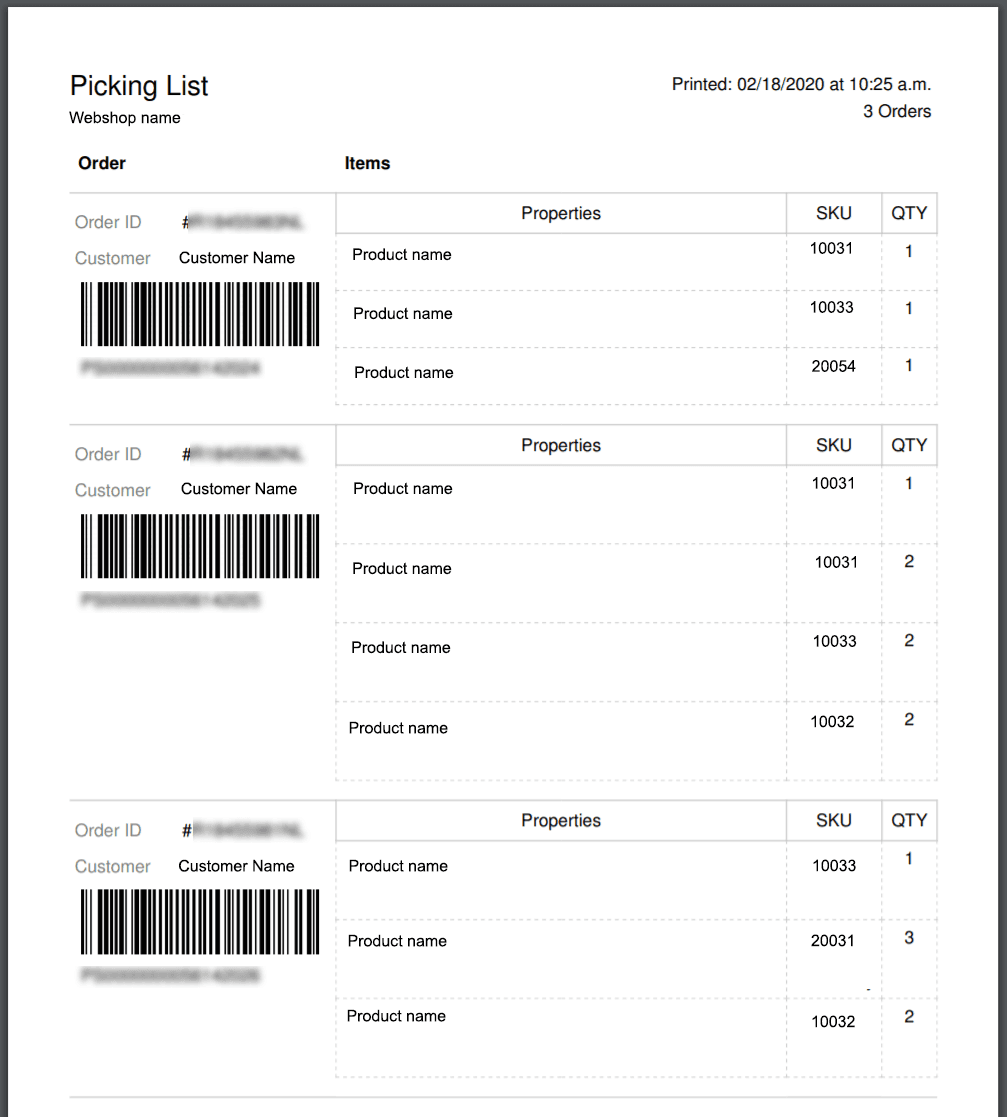
an example of a picking list
What picking is
To fully understand the importance of this document, we need to take a step back and look at what picking means in e-commerce logistics. The term warehouse picking refers to the activity of selecting and picking the products that will make up the order.
This first phase of the order-fulfillment process is followed by a second phase called packing, which consists of packaging the products. Once the parcel is created, it's ready to ship, thus completing the order-fulfillment process.
Why picking lists are essential to your e-commerce's success
Picking lists set the order-fulfillment process in motion: the correct functioning of your online store's warehouse largely depends on them. No matter how many orders you ship per day, you can't afford for your pick lists to contain errors.
In fact, any hiccup in creating them would negatively affect not only your logistics team's efficiency but even your business's growth.
Let us explain what we mean.
Mistakes when creating picking lists: three scenarios to absolutely avoid
Any error when creating pick lists can lead to unpleasant surprises for your customers. Here are 3 possible scenarios for your online store to absolutely avoid.
Delays in picking items
In the first case, let's assume the picking list contains incorrect information about an item's location in the warehouse. Following the instructions on the document, the picker goes to the indicated aisle and scans the shelves, only to not find the requested item.
This forces them to go back to the start, recheck the order, find the error, recreate the picking list, and only then get on with selecting and picking. In short, a huge waste of time that can create frustration in your team and prevent all the day's orders from being fulfilled on time.
Picking the wrong items
The second scenario to absolutely avoid is selecting the wrong items. Imagine an error similar to the one described above, but this time with a different outcome: the picker goes to the wrong aisle or shelf and selects the… wrong item!
It's not hard to guess the consequences of such a mishap: your customer receives a product they didn't buy, demands to return it and get a refund. On top of that, you have to handle the return and bear the costs of this lost sale.
Incorrect shipping details
For the third and final scenario that can occur when picking lists contain errors, let's assume it has all the correct information about the items that will make up the order, but the shipping details are entered incorrectly.
What happens next? Here too the answer is simple: your customer never receives their order, and who knows whether they'll ever order from your store again. You'll have to cover the shipping costs to get that parcel back and deal with losing a customer and their future purchases. What's more, if they leave you a negative review, the number of lost customers could even multiply.
That's why these documents must not contain even the slightest flaw.
So let's look at how to avoid these dangers for your business and how pick lists are created.
How to create a picking list without errors
Now that we've clarified the importance of these documents, let's see how to create them. There are two types of picking list, which in turn involve two different ways of selecting and picking products (and consequently of creating orders):
Individual picking list: contains the information for the items of a single order.
Bulk picking list: contains the products of multiple orders grouped according to the route to take for picking (a technique also known as batch picking).
If you run an e-commerce that handles shipping volumes of dozens of orders a day, you probably prefer to create bulk pick lists. Or at least you might consider batch picking to optimize this order-fulfillment phase. In that case, the last section of our article is just what you need.
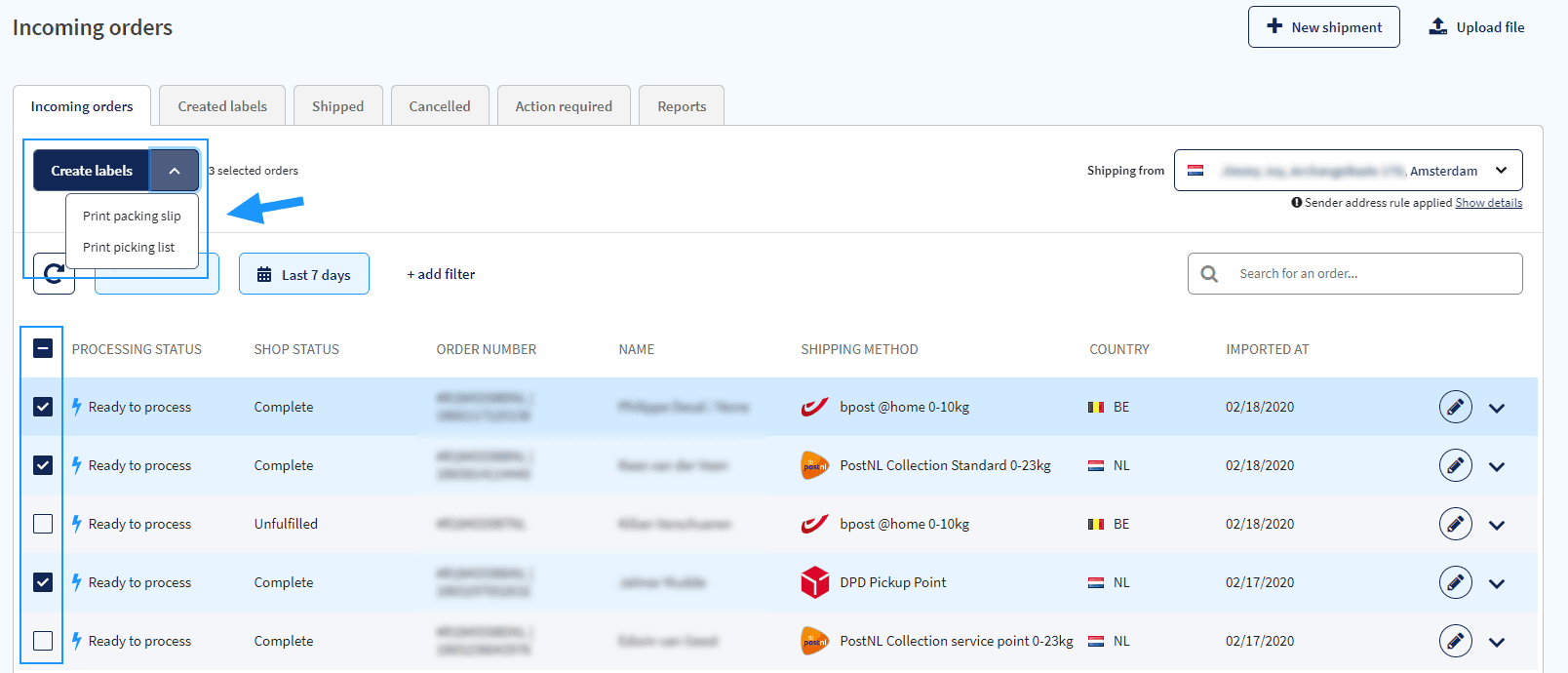
Pick lists created in bulk with Sendcloud software
How to create picking lists in bulk with Sendcloud
If you've made it this far, we can assume you've found the information you were looking for about using and creating pick lists for an e-commerce.
So allow us to give you one more tip: rely on software to create pick lists in bulk and without errors.
The errors (or mishaps) we've described always come down to manual work. Anyone can make a slip over the course of a full working day. It's completely understandable.
But if it's avoidable, why not avoid it?
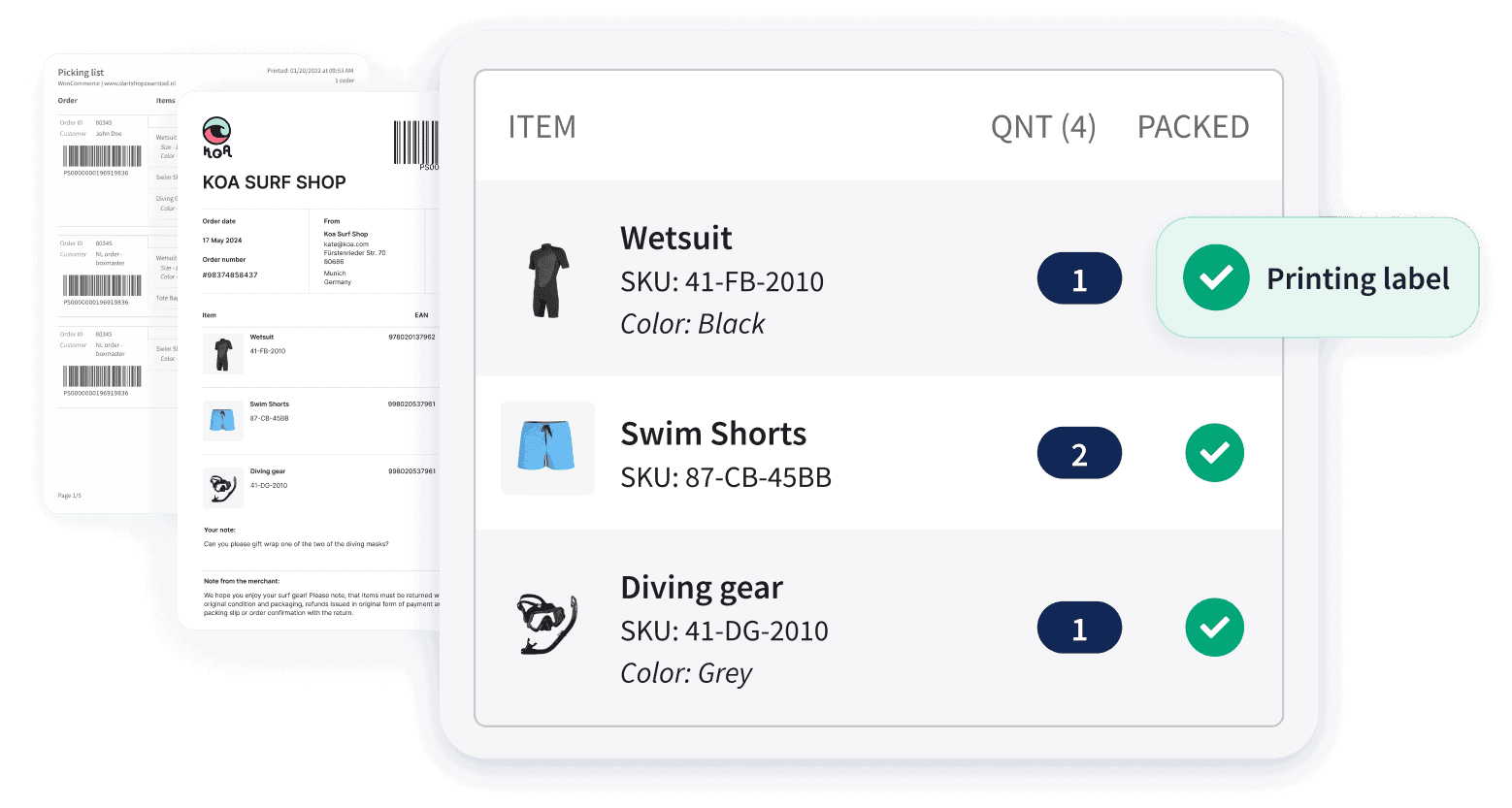
Sendcloud is shipping software that lets you create up to 200 pick lists and packing lists at once thanks to the Pack & Go feature. Pack & Go lets you process orders automatically or with a scanner: either way, you're guaranteed a huge time saving.
If you're considering an investment like this, now or in the future, to increase your logistics team's efficiency and optimize all the processes it handles, request a free, no-obligation demo.
An expert from our team will be happy to walk you through all of Sendcloud's features, show you the benefits, and explain the various subscription plans in detail.
Or, create your free account and connect your store right away!
How much time can you save on shipping?

Share
Recommended for you

Shipping Intelligence
Shipping
E-commerce
Best 9 Shipping Data Analytics Software Tools (2026)
E-commerce
Enterprise
The true cost of post-purchase: what e-commerce shipping really costs enterprise retailers

Shipping to a parcel locker: all the benefits and options
Adding parcel lockers to your shipping options is a smart move. Want to know why? Read our article to discover all the benefits.